Translate Instantly
With a Screenshot
CoTranslator helps you translate any text or table you can see on your screen with a simple screenshot — preserving layouts and delivering instant results. Watch video to see how it works.
One-fits-all solution for all translators
Whether you're translating documents, PDFs, images, text appearing in videos, or text from any other app — CoTranslator handles it all with ease.
Simple
No learning curve. Get translation of text or table straight away with a screenshot.
Versatile
Translate any content from any file format with ease — PDFs, images, videos, Word documents, and more.
Accurate
Highly accurate translation with layout preservation. Minimum effort to reformat or adjust after pasting.
Two steps. That's it.
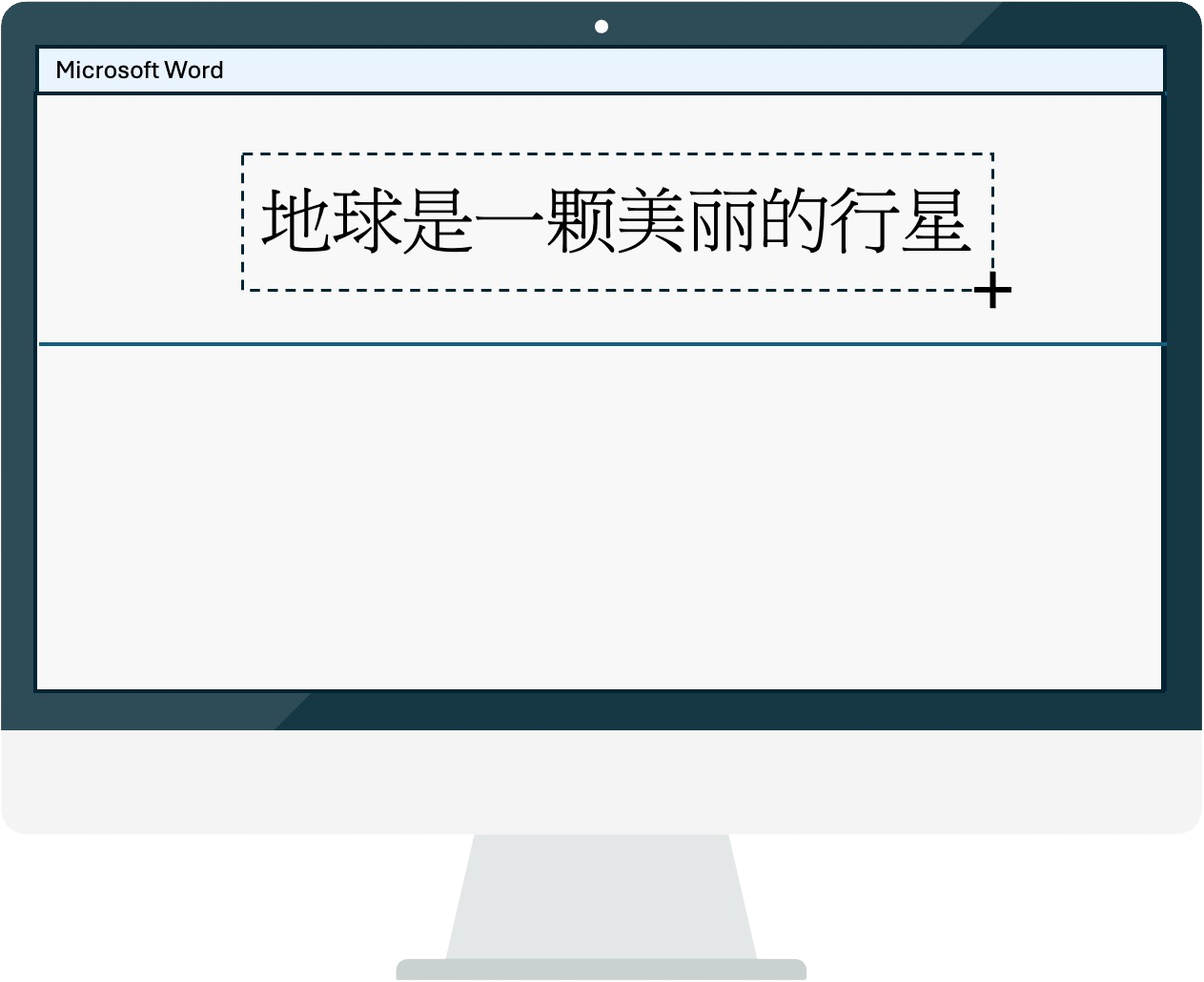
Screenshot the content
Take a screenshot of any content — PDFs, images, Word docs. You can use Split View in Word to compare original and translation side by side.
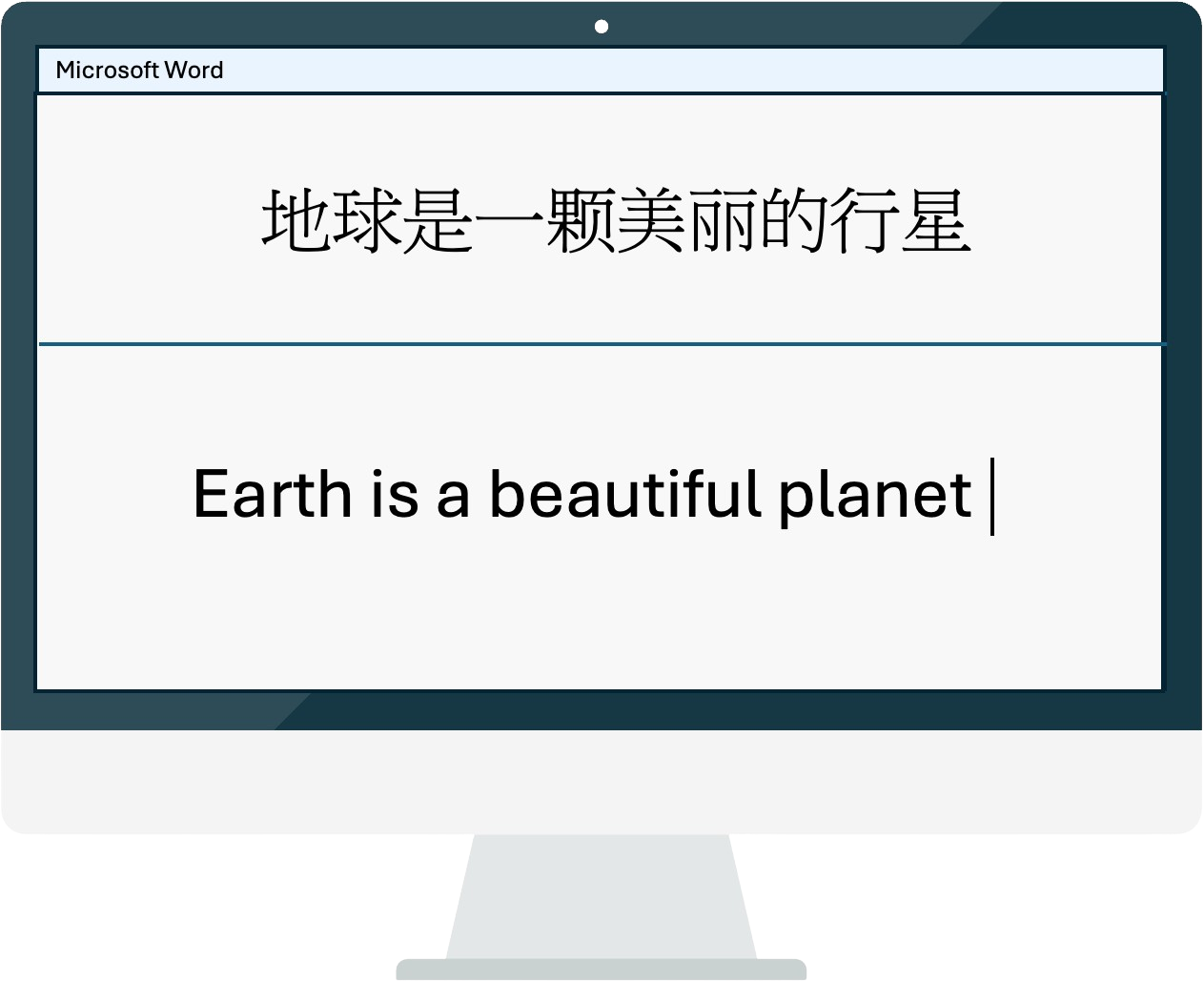
Paste into your document
Text is auto-recognized and translated. Results go straight to your clipboard — paste into the document within seconds.
Multiple formats, one screenshot
Switch between output formats instantly. No need to retranslate — just click and get the format you need.
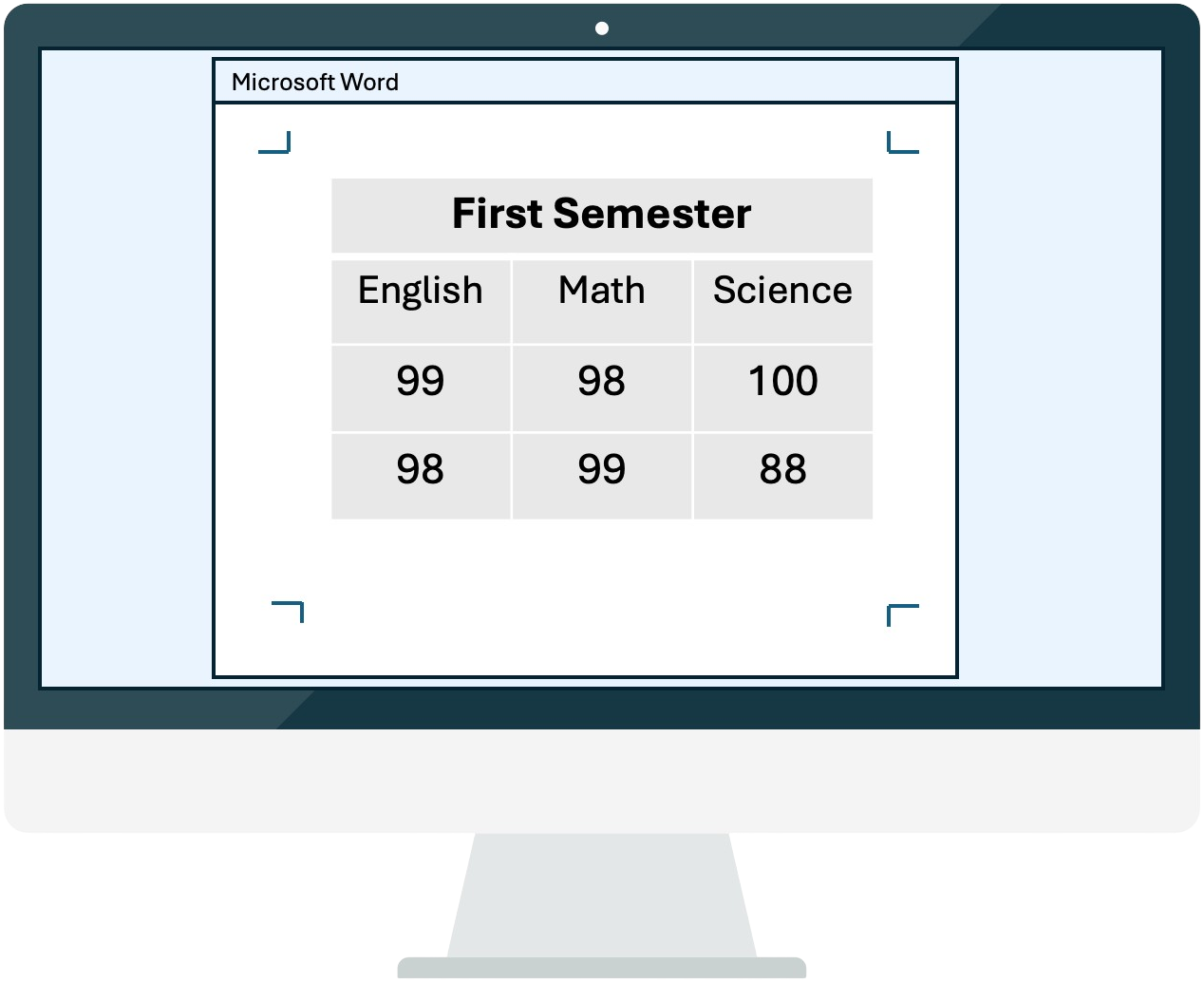
Translate tables in three simple steps
Automatic table detection with layout preservation. Open directly in Excel or paste into Word.
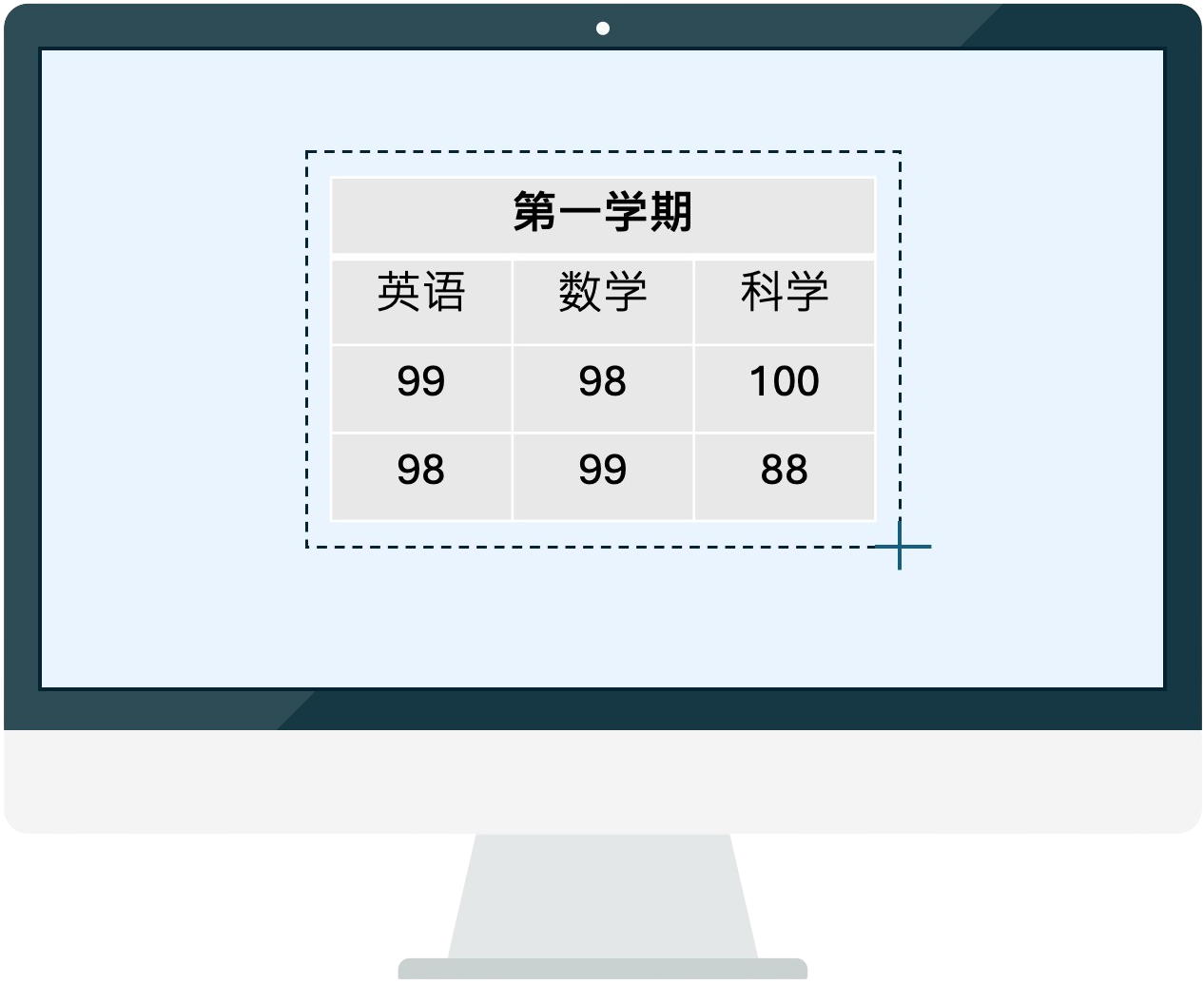
Screenshot the table
Capture any table from any source document
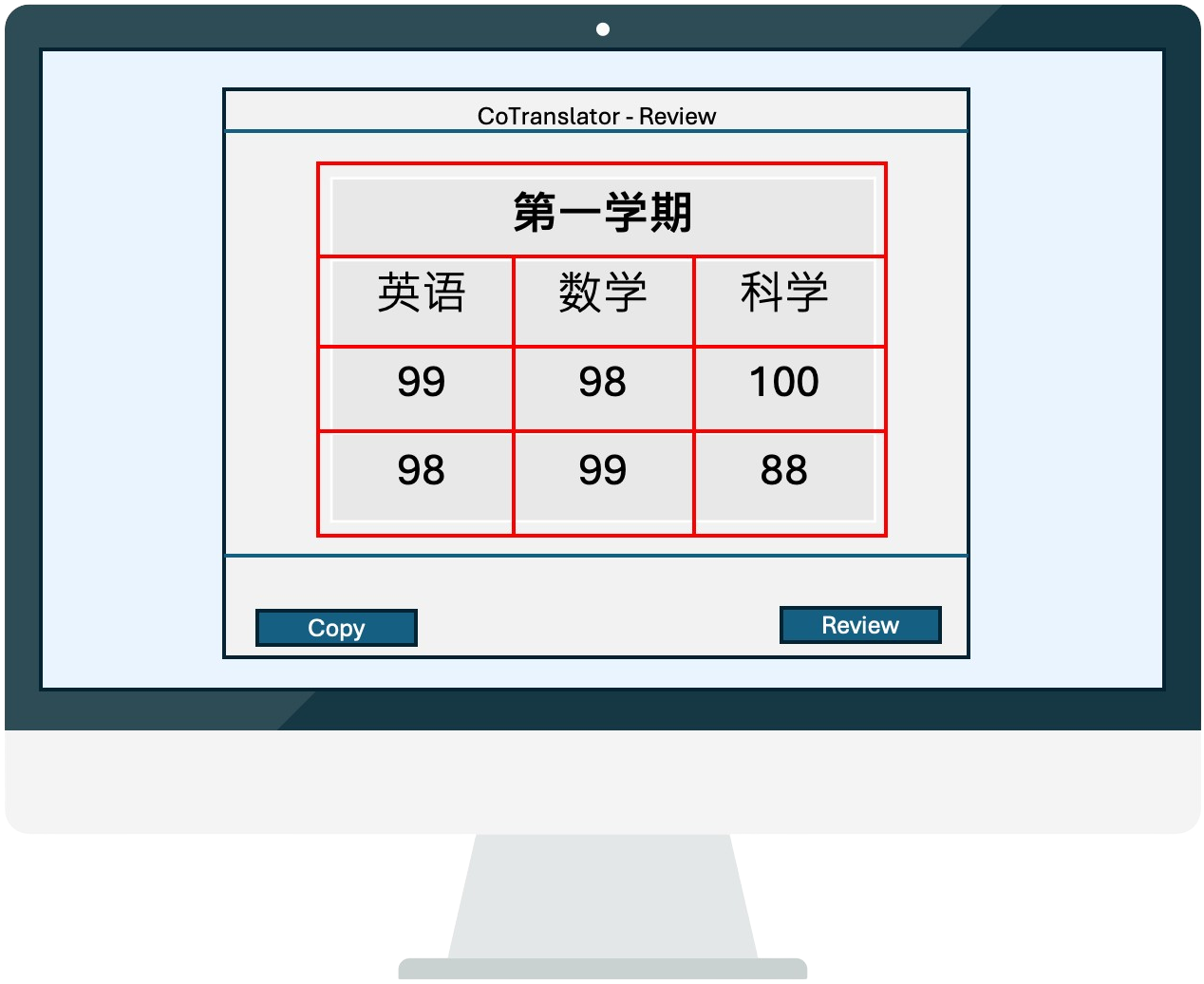
Confirm structure
Auto-detected layout — adjust if needed
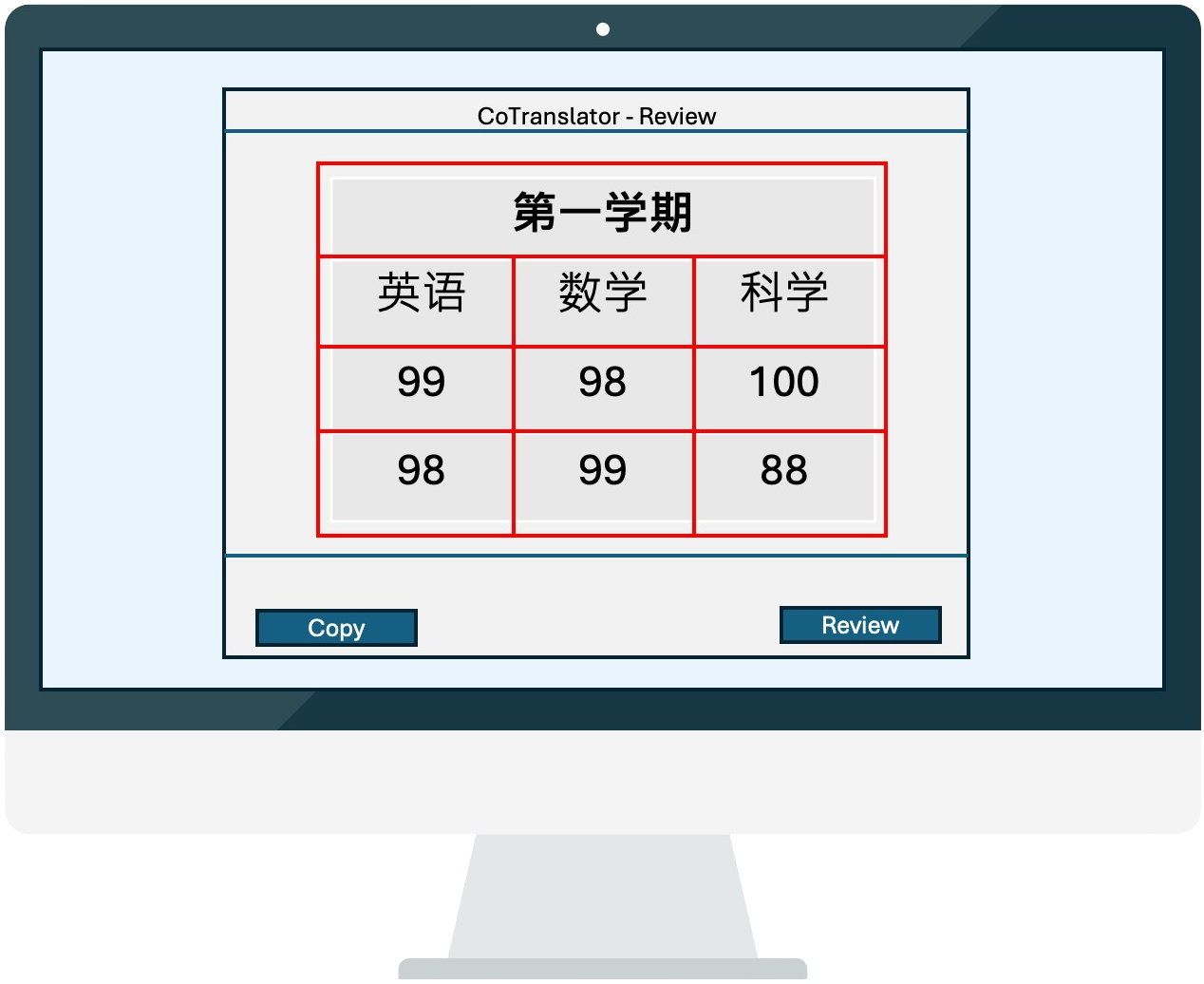
Review & paste
Smart review and then open/paste in Excel/Word
Reviewing tables, not a headache anymore!
Our intelligent grouping system makes table review a breeze
Skip the whole table
No need to scan entire tables. Focus only on what matters.
Grouped cells
Same-value cells shown together. Review once, apply everywhere.
Less cognitive load
Work smarter with step-by-step guided review.
Flexible Plans for Every User
Start free, upgrade anytime.
Free Trial
Get started right now
- 30 screenshots
- Dual AI translation engines
- Major language pairs support
- Instant text translation
- Advanced table translation
- Side-by-side cell review (LTR target languages only)
- Multiple output format support
- Date format switch
- Business day customer support
PAYG (Pay As You Go)
Most flexible option
- 60 screenshots with no expiration
- Dual AI translation engines
- Major language pairs support
- Instant text translation
- Advanced table translation
- Side-by-side cell review (LTR target languages only)
- Multiple output format support
- Date format switch
- Business day customer support
Starter
Most popular choice
- 3600 screenshots per year
- Dual AI translation engines
- Major language pairs support
- Instant text translation
- Advanced table traslation
- Side-by-side cell review (LTR target languages only)
- Multiple output format support
- Date format switch
- Business day customer support
Professional
For those who need more
- 10,000 screenshots per year
- Dual AI translation engines
- Major language pairs support
- Instant text translation
- Advanced table translation
- Side-by-side cell review (LTR target languages only)
- Multiple output format support
- Date format switch
- Business day customer support
- Free consultation for customised development
Frequently asked questions
CoTranslator is built for people who regularly translate content that can’t be edited directly—such as images, scanned or image-based PDFs, websites, videos, applications, games, and more.
CoTranslator is also extremely useful for translators who need to translate tables, as it can detect table layout and allow you to review the cell translation side by side, greatly improving efficiency and accuracy.
CoTranslator uses OCR technology and tailored algorithms to extract and translate text from screenshots, delivering the result to your clipboard within seconds—ready to paste into your document.
CoTranslator detects the table layout in your screenshot first and then visualise the layout for you to confirm or edit, making sure the table layout is 100% correct before translation. After that, it translates the table content and allows you to check correctness of all cells before generating the final translated table in Excel.
CoTranslator breaks down the whole table into groups of cells with idential values so that you only need to compare the translation once per cell group. This greatly enhances efficiency and reduces cognitive load during table review.
CoTranslator allows you to manually edit the table layout before translation. You can add or remove rows and columns, merge or split cells until the layout is 100% fixed.
If your target language is English, you have four formats to choose from: 1) Translated text in normal format; 2) Translated text in UPPER CASE; 3) Translated text in Title Case; or 4) Original text without translation. For other target languages, only applicable formats are available.
Date formats in English vary across regions—some use the format like 1 February 2025 and others use February 1, 2025. CoTranslator allows you to set one of the formats and it will apply to your subsequent translation automatically so that you don't need to adjust date formats manually after translation.
No. CoTranslator uses screenshot for inputs so it works with any document or application that displays text on your computer screen.
No. CoTranslator does not store any of your translation data—neither screenshots nor text.
CoTranslator currently supports translations between any two of the following: Arabic, Chinese (Simplified & Traditional), Dutch, English, French, German, Greek, Hungarian, Indonesian, Italian, Japanese, Korean, Malay, Persian, Polish, Portuguese (Brazil & Portugal), Romanian, Russian, Spanish, Thai, Turkish, Ukrainian, Vietnamese. More languages will be added in future updates.
No. CoTranslator uses screenshots as the quota unit. You can either purchase a PAYG credit package or choose a subscription plan and each contains a certain number of credits.